
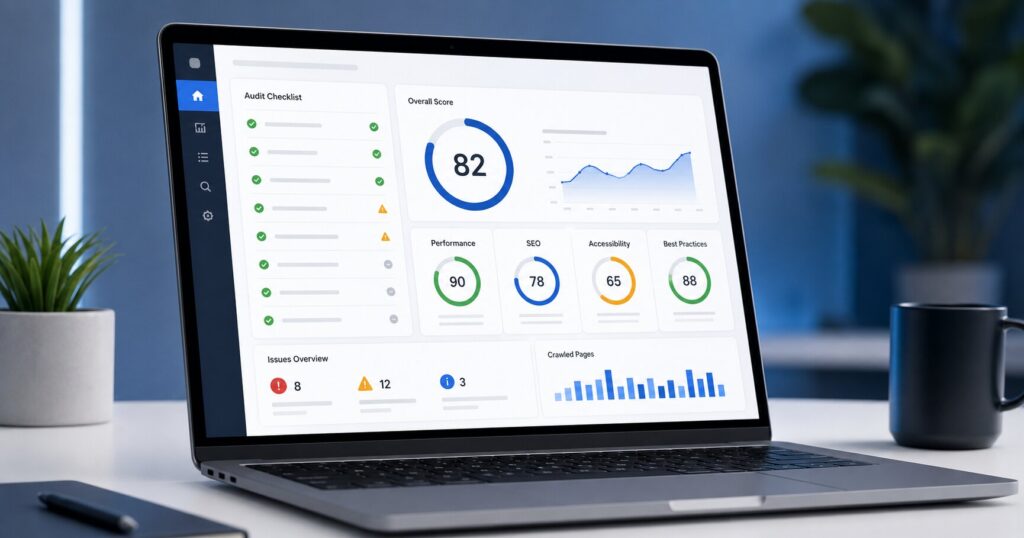
Great content and a solid backlink profile mean nothing if search engines can’t properly crawl, render, or understand your site. Technical SEO is the invisible foundation everything else builds on — and it’s the layer most business owners never think to check until rankings start slipping.
As an SEO Consultant running full technical audits across dozens of sites, I’ve organized this into a genuine 30-point checklist you can work through systematically, rather than guessing what might be wrong.
Crawlability & Indexability (Points 1-6)
- Check your robots.txt file. Make sure it isn’t accidentally blocking important pages or your entire site from being crawled — a surprisingly common and catastrophic mistake after site migrations.
- Submit an XML sitemap. Ensure it’s current, submitted in Google Search Console, and doesn’t include broken, redirected, or noindexed URLs.
- Review indexed page count. Compare the number of pages Google has indexed (via Search Console) against your actual page count — a large mismatch signals either missing content or accidental blocking.
- Audit noindex tags. Confirm important pages aren’t accidentally marked noindex, and that thin/duplicate pages that should be excluded actually are.
- Check canonical tags. Every page should have a self-referencing or intentionally pointed canonical tag to prevent duplicate content confusion.
- Review crawl budget for large sites. If you have thousands of pages, ensure Google isn’t wasting crawl budget on low-value pages (filtered URLs, old paginated archives) instead of your important content.
Site Speed & Core Web Vitals (Points 7-13)
- Test Largest Contentful Paint (LCP). Should load within 2.5 seconds — this measures how quickly your main content becomes visible.
- Test Interaction to Next Paint (INP). Google’s replacement for First Input Delay, measuring how responsive your site feels during real interactions.
- Test Cumulative Layout Shift (CLS). Elements shifting around as a page loads frustrates users and hurts this score — usually caused by images or ads without reserved space.
- Compress and modernize images. Convert to WebP format where possible, and ensure no oversized images are being scaled down in the browser instead of properly resized.
- Minimize render-blocking resources. CSS and JavaScript that block the page from displaying should be deferred or minimized wherever possible.
- Enable browser caching and a CDN. Especially important for visitors accessing your site from outside your server’s home region.
- Audit third-party scripts. Chat widgets, analytics tools, and ad scripts often quietly drag down site speed — audit and remove any that aren’t earning their keep.
Mobile Optimization (Points 14-17)
- Run Google’s Mobile-Friendly Test. Confirm there are no mobile usability errors reported in Search Console.
- Check tap target sizing. Buttons and links should be large enough and spaced well enough to tap accurately on a small screen.
- Verify responsive image behavior. Images should scale properly and not force horizontal scrolling on mobile devices.
- Test mobile page speed separately from desktop. Mobile networks and devices are typically slower — a site that’s fast on desktop can still be sluggish on mobile.
Site Architecture (Points 18-21)
- Map your internal linking structure. Every important page should be reachable within a few clicks from your homepage, with no orphan pages.
- Review URL structure consistency. URLs should be clean, descriptive, and follow a consistent pattern across the site.
- Check for duplicate content across URL variations. www vs non-www, HTTP vs HTTPS, and trailing slash inconsistencies can all create duplicate content if not properly redirected to one canonical version.
- Audit pagination handling. Multi-page category or blog archives should be crawlable and properly linked, without creating thin, low-value pages.
Structured Data (Points 22-24)
- Implement Organization/LocalBusiness schema. Helps search engines and AI systems understand core facts about your business.
- Add relevant content-type schema. Article, Product, FAQPage, or Review schema depending on your page type, to become eligible for rich snippets.
- Validate all schema with Google’s Rich Results Test. Implementation errors are common and can prevent rich snippets from displaying even when schema is present.
Security & Maintenance (Points 25-30)
- Confirm HTTPS is properly implemented sitewide. Including no mixed-content warnings from HTTP resources loading on HTTPS pages.
- Check for broken internal and external links. Broken links waste crawl budget and create poor user experience.
- Audit and clean up redirect chains. Multiple hops (A→B→C) should be consolidated into single, direct redirects.
- Review server response codes. Ensure no important pages are accidentally returning error codes instead of a proper 200 status.
- Check for accidental duplicate content from staging/dev sites. Occasionally a staging environment gets indexed alongside the live site — a serious duplicate content issue if not blocked properly.
- Set up ongoing monitoring. Use Search Console and a crawling tool (Screaming Frog, Sitebulb) on a recurring basis, since technical issues accumulate gradually and are far cheaper to fix early.
How to Prioritize This Checklist
Work through it in this order for the fastest impact: 1. Fix any crawlability/indexing blockers first (points 1-6) — nothing else matters if pages aren’t indexed 2. Address Core Web Vitals (points 7-13) — affects every page and directly impacts rankings and conversions 3. Fix mobile issues (points 14-17) 4. Clean up architecture and structured data (points 18-24) 5. Handle security/maintenance items (points 25-30) as ongoing housekeeping
FAQ
How often should I run a technical SEO audit?
A full audit every 6 months is a reasonable baseline, with lighter monthly checks on Core Web Vitals and crawl errors through Search Console.
Can I do a technical SEO audit myself?
Many items on this checklist are accessible through free tools like Google Search Console and PageSpeed Insights, but interpreting the results and prioritizing fixes correctly often benefits from experienced review.
What’s the most commonly overlooked technical SEO issue?
Accidental noindex tags and blocked robots.txt directives after a site redesign or migration — these can silently remove entire sections of a site from search results.
Does technical SEO matter for AI search visibility too?
Yes — AI systems still need to crawl and parse your site properly to cite it, so technical health remains foundational even as search evolves toward AI-driven answers.
Need a full technical SEO audit for your site? Get in touch for a free consultation, or read our E-Commerce SEO Checklist if you run an online store.
Read more: → AI SEO Guide (2026): The Complete Guide to Ranking on Google, ChatGPT & AI Search
→ AI SEO Guide (2026): The Complete Guide to Ranking on Google, ChatGPT & AI Search
